 Canvas
UTM Tracking
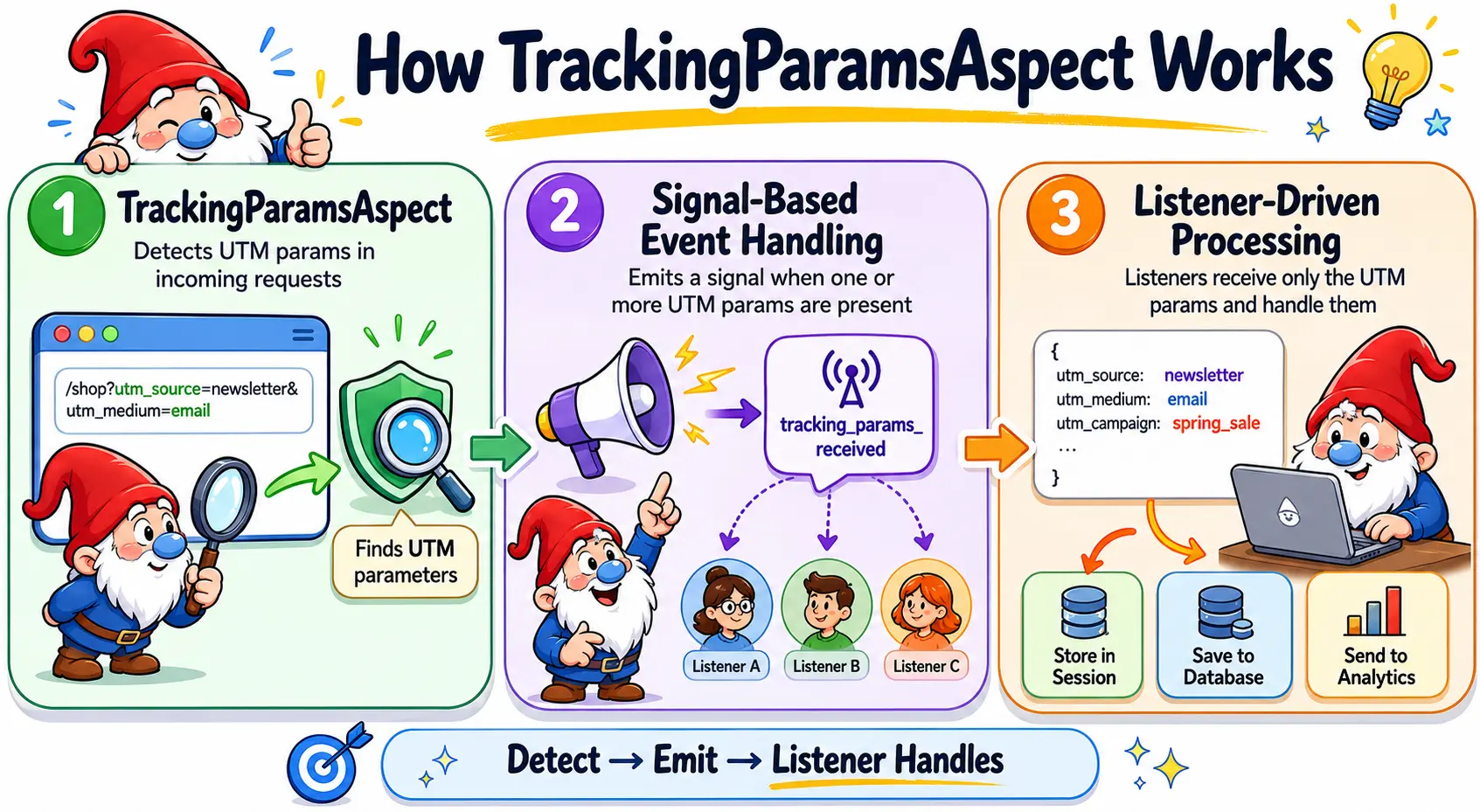
TrackingParamsAspect is a built-in Canvas aspect that detects UTM tracking parameters
in the incoming request and broadcasts them as a signal. Any part of the application can listen for
this signal without coupling to controllers or request handling code.
What are UTM Parameters?
UTM parameters are query string values appended to URLs by marketing tools to identify the source of a visit. Canvas captures the five standard parameters:
| Parameter | Purpose |
|---|---|
utm_source |
Identifies the traffic source, e.g. newsletter, google |
utm_medium |
Identifies the marketing medium, e.g. email, cpc |
utm_campaign |
Identifies the campaign name or promotion |
utm_term |
Identifies paid search keywords |
utm_content |
Differentiates ads or links pointing to the same URL |
Only parameters that are actually present in the request are included. If none are found, the signal is not emitted.
Applying the Aspect
Add @InterceptWith(TrackingParamsAspect::class) to any controller that should participate
in UTM tracking. Typically this is a landing page or entry point controller:
use Quellabs\Canvas\Tracking\TrackingParamsAspect;

/**
 * @InterceptWith(TrackingParamsAspect::class)
 */
class ShopController extends BaseController {

    /**
     * @Route("/")
     */
    public function index(): Response {
        // ...
    }
}
No further configuration is required. Canvas instantiates the aspect, discovers its signal, and wires it to any registered listeners before the controller method executes.
Listening for Tracking Parameters
Create a listener class in /src/Listeners and annotate a method with
@ListenTo("tracking_params_received"). The method receives an array containing
only the UTM parameters that were present in the request:
namespace App\Listeners;

use Quellabs\Canvas\Annotations\ListenTo;

class TrackingListener {

    public function __construct(
        private readonly SessionInterface $session
    ) {}

    /**
     * @ListenTo("tracking_params_received")
     */
    public function onTrackingParams(array $params): void {
        // $params example:
        // [
        //     'utm_source'   => 'newsletter',
        //     'utm_medium'   => 'email',
        //     'utm_campaign' => 'spring_sale',
        // ]

        // Store in session for use on conversion pages
        if (!$this->session->has('utm_params')) {
            $this->session->set('utm_params', $params);
        }
    }
}
What happens with the parameters is entirely up to the listener. Common patterns include storing them in the session for first-touch attribution, writing them to a database, or forwarding them to an analytics service.
Signal Reference
| Signal name | Emitted when | Arguments |
|---|---|---|
tracking_params_received |
One or more UTM parameters are present in the request | array<string, string> $params |