 Canvas
Logging
Last updated: 2026-10-28
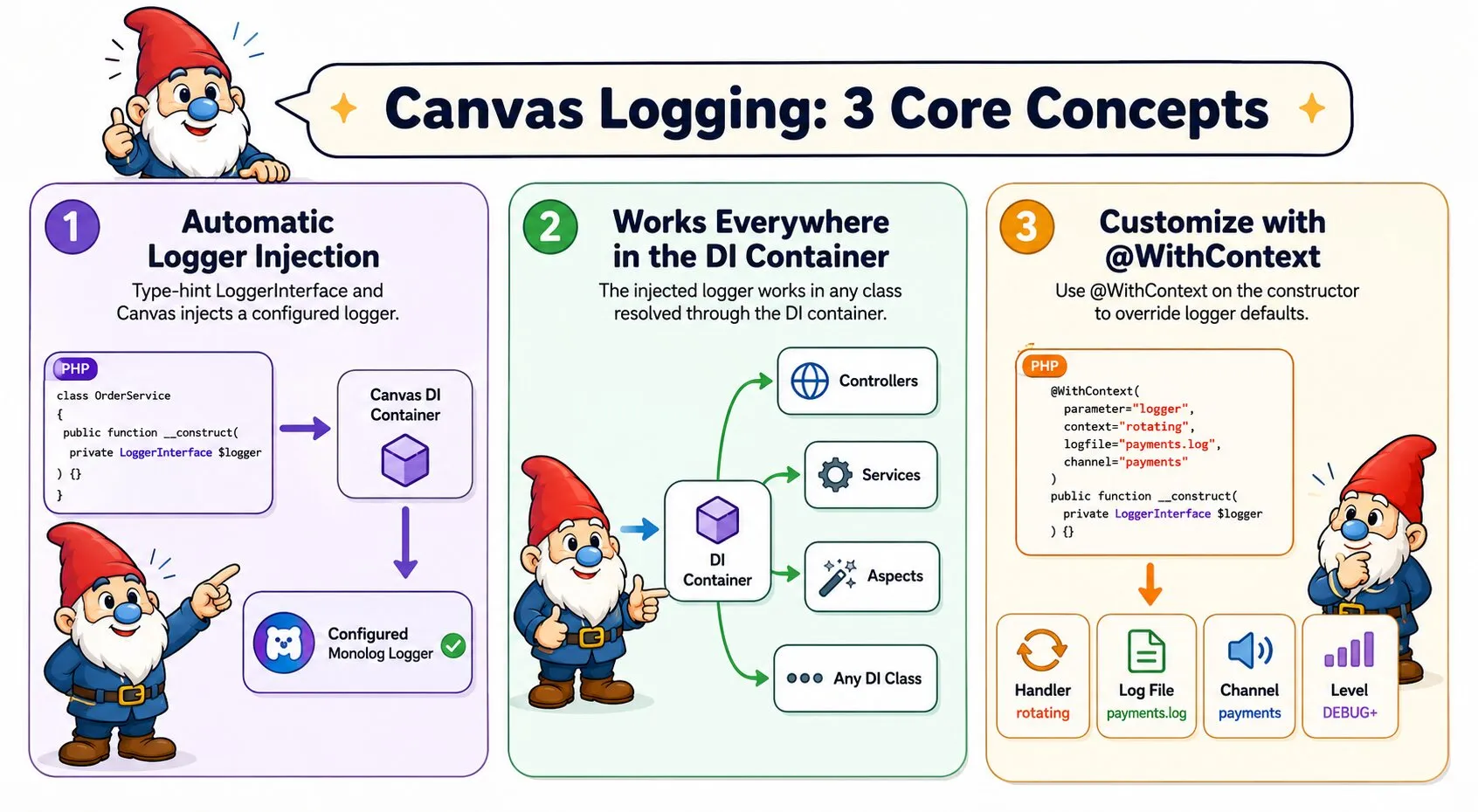
Canvas provides contextual logging via PSR-3. Any class that type-hints LoggerInterface in its constructor receives a configured Monolog instance automatically — no manual setup required.
Basic Usage
Type-hint Psr\Log\LoggerInterface in any constructor and Canvas injects a logger automatically:
use Psr\Log\LoggerInterface;

class OrderService {

    public function __construct(private LoggerInterface $logger) {}

    public function process(Order $order): void {
        $this->logger->info('Processing order', ['id' => $order->getId()]);

        try {
            // ...
        } catch (\Throwable $e) {
            $this->logger->error('Order processing failed', ['id' => $order->getId(), 'error' => $e->getMessage()]);
            throw $e;
        }
    }
}
This works in controllers, services, aspects, and any other class resolved through the DI container.
Default Configuration
Without any annotation, the injected logger uses these defaults:
| Setting | Default |
|---|---|
| Handler | stream — writes to a file |
| Log file | storage/logs/canvas.log |
| Channel | app |
| Level | DEBUG and above |
Customising the Logger
@WithContext selects the handler; @LoggerContext only carries configuration — logfile and channel — and has no say over which handler is used:
use Psr\Log\LoggerInterface;
use Quellabs\Canvas\Annotations\LoggerContext;
use Quellabs\Canvas\Annotations\WithContext;

class PaymentService {

    /**
     * @WithContext(parameter="logger", context="rotating")
     * @LoggerContext(logfile="payments.log", channel="payments")
     */
    public function __construct(private LoggerInterface $logger) {}
}
@WithContext also works on its own, without @LoggerContext, leaving logfile/channel at their defaults:
/**
 * @WithContext(parameter="logger", context="stderr")
 */
public function __construct(private LoggerInterface $logger) {}
Multiple Handlers on One Method
@LoggerContext is repeatable. When a single method's @WithContext can resolve to more than one handler at request time — for example via a context provider — tag each @LoggerContext with the context it configures. An untagged @LoggerContext (no context argument) acts as the default, used whenever none of the tagged ones match:
/**
 * @WithContext(parameter="logger", context=TenantLogHandlerProvider::class)
 * @LoggerContext(context="rotating", logfile="payments.log", channel="payments")
 * @LoggerContext(context="stderr", channel="alerts")
 * @LoggerContext(channel="app")
 */
public function __construct(private LoggerInterface $logger) {}
Supported Handlers
The following handlers are supported:
| Identifier | Handler | Description |
|---|---|---|
stream | StreamHandler | Writes to a file. Default handler. |
rotating | RotatingFileHandler | Writes to a file with daily rotation. Useful for long-running applications. |
stderr | ErrorLogHandler | Writes to PHP's error log. Useful in containerised environments. |
Log File Paths
The logfile key accepts either an absolute path or a filename. A bare filename is resolved relative to storage/logs/:
// Writes to storage/logs/payments.log
@LoggerContext(logfile="payments.log")

// Writes to an absolute path
@LoggerContext(logfile="/var/log/myapp/payments.log")
Log Levels
Canvas uses standard PSR-3 log levels. Call the corresponding method on the injected logger:
$this->logger->debug('Detailed trace information');
$this->logger->info('Normal application events');
$this->logger->notice('Significant but expected events');
$this->logger->warning('Something unexpected, but not an error');
$this->logger->error('A runtime error that does not halt execution');
$this->logger->critical('A critical condition requiring immediate attention');
$this->logger->alert('Action must be taken immediately');
$this->logger->emergency('System is unusable');
All methods accept an optional context array as the second argument for structured log data:
$this->logger->info('User logged in', ['user_id' => $user->getId(), 'ip' => $request->getClientIp()]);