 Canvas
Eloquent ORM
Last updated: 2026-11-03
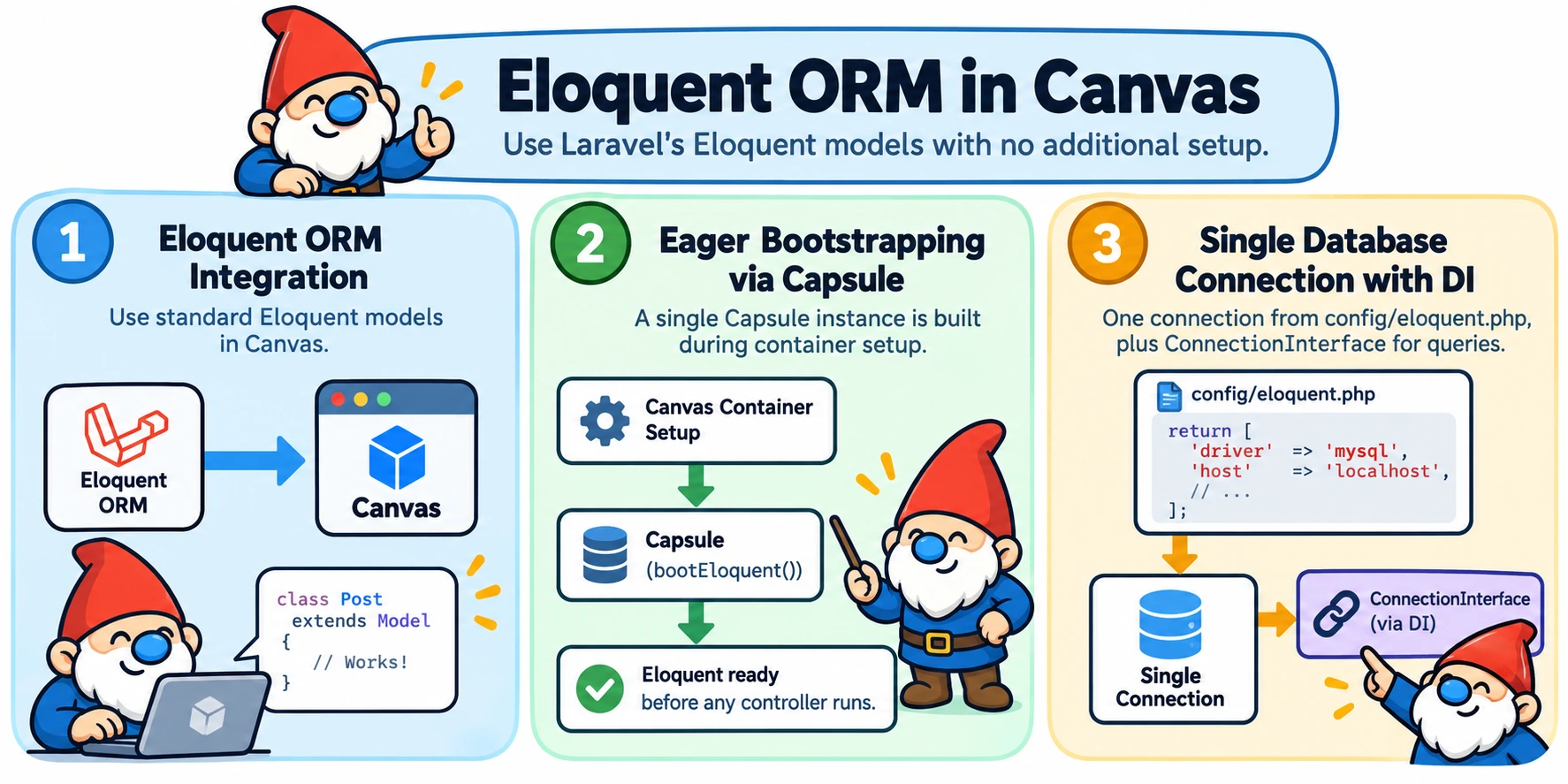
Canvas Eloquent brings Laravel's standalone Eloquent ORM into Canvas. It wires a single database connection into both Canvas's dependency injection container and Eloquent's own static connection resolver, so plain Eloquent models work with no additional setup.
Core Concepts
- Capsule — Illuminate's standalone database bootstrap (
Illuminate\Database\Capsule\Manager), used outside a full Laravel application. The package builds and caches oneCapsuleinstance per process. - Eager boot — the
Capsuleis built andbootEloquent()is called the moment the package's configuration is applied, during Canvas's normal container setup. Nothing needs to type-hintConnectionInterfacefor Eloquent models to work. - Single connection — this package manages exactly one database connection, read from
config/eloquent.php. Multiple named connections are not supported. ConnectionInterface—Illuminate\Database\ConnectionInterfaceis also registered with Canvas's DI container, for code that wants Eloquent's query builder without using full Eloquent models.- Model parameter binding — a controller action parameter typed as a concrete
Modelsubclass is resolved automatically from a route value. See Model Parameter Binding below. - Migrations — schema migrations run on Illuminate's own migrator, driven from Sculpt commands. See Migrations below.
Installation
Install via Composer:
composer require quellabs/canvas-eloquentThen publish the configuration file:
sculpt eloquent:initEdit config/eloquent.php with your database credentials.
Configuration
All options with their defaults:
// config/eloquent.php
return [
    'driver'           => 'mysql',        // mysql, pgsql, sqlite, sqlsrv
    'host'             => 'localhost',
    'database'         => '',
    'username'         => '',
    'password'         => '',
    'port'             => 3306,
    'charset'          => 'utf8mb4',
    'collation'        => 'utf8mb4_unicode_ci',
    'prefix'           => '',
    'migrations_path'  => __DIR__ . '/../migrations',
    'migrations_table' => 'eloquent_migrations',
];
Any key you omit falls back to the default shown above. migrations_path is where migration classes are generated into and loaded from — unlike storage/, it's meant to be committed to your repository. migrations_table is where applied migrations are tracked, created automatically on first use.
Quick Start
Two ways to work with your database, depending on how much of Eloquent you want: full models or the query builder.
Eloquent Models
Once config/eloquent.php exists, any plain Eloquent model works immediately — no constructor injection, no manual bootstrapping:
use Illuminate\Database\Eloquent\Model;

class Post extends Model {
    protected $fillable = ['title', 'content', 'published'];
}

class BlogController {
    public function index(): Response {
        $posts = Post::where('published', true)->orderBy('id')->get();

        return $this->render('blog/index.tpl', compact('posts'));
    }
}ConnectionInterface. That's enough to boot Eloquent's static connection resolver before any controller runs. Query Builder via DI
For code that prefers Eloquent's fluent query builder without a model class, type-hint ConnectionInterface:
use Illuminate\Database\ConnectionInterface;

class ReportController {
    public function __construct(
        private ConnectionInterface $db
    ) {}

    public function index(): Response {
        $rows = $this->db->table('posts')
            ->where('published', true)
            ->orderBy('id')
            ->get(['id', 'title']);

        return $this->json(['posts' => $rows]);
    }
}
Model Parameter Binding
A controller action parameter typed as a concrete Illuminate\Database\Eloquent\Model subclass is resolved automatically from a route value, without calling Model::find() yourself.
Implicit binding by parameter name
By default, the route value with the same name as the controller parameter is used as the primary key:
// Route: /posts/{post}
public function show(Post $post) {
    // $post is the Post whose primary key matches the route's {post} value
}
@ResolveModel for a differently-named route value
When the route value's name differs from the controller parameter's name, add @ResolveModel to map them:
/**
 * @Route('/posts/{postId}')
 * @ResolveModel(parameter="post", routeParam="postId")
 */
public function show(Post $post) {
    // $post is resolved from the route's {postId} value
}
Not-found behavior
- Required parameter (
Post $post): if the lookup finds no row, aRequiredParameterNotFoundExceptionis thrown, which produces an HTTP 404 response. - Nullable parameter (
?Post $post): if the lookup finds no row, the controller receivesnulland must handle it.
Binding errors vs. a missing row
A missing row is not the only possible outcome. If the route has no value at all for the key the parameter is bound to, or the value's shape is not supported (this provider only binds scalar primary keys — composite/array keys are not supported), that is a binding or configuration mistake, not "no row found", and raises a server error (HTTP 500) identifying the controller, parameter, and route key involved rather than silently injecting null or a default.
ServiceProvider, but relies on it having already booted the Capsule — Model::find() resolves its connection through Eloquent's own static connection resolver, not through this provider. Migrations
Canvas Eloquent runs migrations through Illuminate's own migrator. Applied migrations are tracked in the configured migrations_table (default eloquent_migrations), created automatically on first use.
Start a blank migration for hand-written changes, from Illuminate's own stubs:
sculpt eloquent:make:blank-migration create_posts_tablePass --create=<table> or --table=<table> to pre-fill Schema::create()/Schema::table() boilerplate for the given table. The file is written into migrations_path. Run pending migrations with:
sculpt eloquent:migratePass --pretend to preview the SQL without applying it, or --step to run each migration as its own batch so it can be rolled back individually. Roll back the last batch with:
sculpt eloquent:migrate:rollbackPass --step=<n> to roll back the last n migrations regardless of batch, or --batch=<n> to roll back every migration in a specific batch. Check what's applied and what's pending at any time:
sculpt eloquent:migrate:statusSculpt CLI Commands
| Command | Description |
|---|---|
sculpt eloquent:init | Publish config/eloquent.php to the project root (skips if it already exists) |
sculpt make:blank-migration <name>* | Generate a blank migration class from Illuminate's stubs |
sculpt eloquent:migrate | Run pending migrations |
sculpt eloquent:migrate:rollback | Roll back the last batch of migrations |
sculpt eloquent:migrate:status | Show which migrations have been applied and which are pending |
canvas-doctrine or objectquel alongside canvas-eloquent adds the eloquent: prefix to make:blank-migration, to avoid colliding with the other package's command of the same name. eloquent:migrate, eloquent:migrate:rollback, and eloquent:migrate:status always keep their prefix.